 OpenShelf
File converter for Mac, mid-drag
OpenShelf is the free, MIT-licensed, offline menu-bar utility by Manan Santoki — a file converter for Mac that opens while you drag: tap ⇧ Shift, drop on JPG, PDF, MP3, GIF, DOCX, or dozens of other targets.
Convert without opening an app first
- Drag a file from Finder.
- Tap ⇧ Shift (or your chosen key) — the Convert wheel appears.
- Drop on the format you need. The result is saved next to the original.
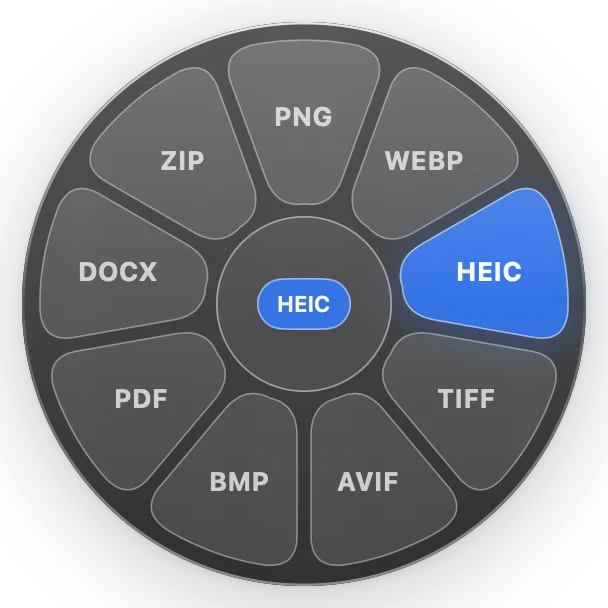
Supported types include images, PDFs, documents, spreadsheets, slides, audio, video, subtitles, and archives — see the full table in the README. Optional ffmpeg, LibreOffice, and Pandoc add more formats from Settings → Extra Formats.
What macOS already includes
- Preview: export images and PDFs to other formats one file at a time (Apple Preview User Guide).
- Finder Quick Actions: built-in actions include Convert Image and Create PDF; you can also run Shortcuts or Automator workflows from Finder (Apple Support).
- Terminal:
sipsconverts still images;afconvertconverts audio using macOS’s Audio File Convert utility.
File conversion
Is OpenShelf really free?
Yes. MIT license, no subscription. Download from openshelf.space/download or GitHub releases.
Does it replace dedicated shelf apps?
OpenShelf also shelves files and docks shelves to the screen edge. Compare with Dropover and Yoink or Tangerine if conversion matters to you.
Where are converted files saved?
Beside the original, with the new extension — the same behaviour documented in the app README.