 OpenShelf
Free Dropover & Yoink alternative with conversion built in
OpenShelf is a free, open-source Mac app with a floating shelf and file conversion in the same drag: tap a key and drop the file on a wheel. Dropover and Yoink are shelf apps for holding what you are dragging so you can move it somewhere else. Dropover's site describes a fully functional 14-day trial and then a 3-second wait unless you buy Dropover Pro (a one-time in-app purchase; the price is not listed there), and Yoink's site lists 9,99 € / $8.99 / £8.99 as a one-time price, both checked 1 November 2026.
Shelf, and what else
OpenShelf details are from its README. Dropover details are from dropoverapp.com. Yoink details are from eternalstorms.at. A blank in their docs is "not listed", not a guess. The home page shows the wheels, and the Tangerine page is the converter comparison.
| Topic | OpenShelf | Dropover | Yoink |
|---|---|---|---|
| Price | Free. MIT license. No account and no subscription. | Free download, 14-day full trial, then a 3-second wait. Dropover Pro removes the wait (one-time purchase). Pricing detailDollar price: not listed. Checked 1 November 2026 on the FAQ and the purchases page. |
9,99 € / $8.99 / £8.99 one-time on the Mac App Store or the developer's site. TrialChecked 1 November 2026. The Free Trial download is labelled free for 28 days. |
| What you drop onto | A wheel for convert, tools, or actions, and shelves that hold files without moving them. | A shelf: shake the pointer, then drop files, links, text, or images, including folders and web images. | A shelf for dragged content, including text and web images. Can appear at the screen edge when a drag starts. |
| File conversion | Images, PDFs, documents, spreadsheets, slides, audio, video, subtitles, and archives. Optional toolsSome formats need the optional ffmpeg, LibreOffice, or Pandoc tools. |
Not a general converter. Homepage actions include resize images, extract text, and create ZIP archives. | Not listed. |
| Shelf | Multiple shelves, dock left or right, Quick Look with Space, watched folders including screenshots. | Finder drag keeps a reference. Preview, rename, reorder, pin, dock at the edge, watched folders, screenshot shelves. |
Holds files until you drag them out. Appear at the edge immediately, near the edge, or at the cursor. Watched folders: not listed. |
| Uploads | No. Files stay on your Mac. No telemetry. | Not automatic. Upload only when you choose an upload or sharing action. Listed servicesDropover Cloud, iCloud Drive, Dropbox, Microsoft OneDrive, Google Drive, AWS S3 and compatible providers, and Imgur. |
Not listed. |
| Clipboard | Not listed. | Homepage: copy or paste between the shelf and the clipboard. | The Mac page says Yoink can keep a history of your clipboard. |
| Quick Look | Space previews a file on a shelf with Quick Look. | Listed on the homepage. | Icon previews, or a full QuickLook preview. |
| macOS | macOS 14 Sonoma or later. Apple silicon, and Intel up to macOS 26. | Not listed as one minimum version. | macOS 10.13 High Sierra or newer. |
| Where to get it | Download or GitHub releases. | The FAQ says the Mac App Store only. | Mac App Store, the developer's website, or Setapp (same functionality). |
| Source code | Open source, MIT. GitHub. | Not listed. | Not listed. |
Checked 1 November 2026: dropoverapp.com, the Dropover FAQ, Dropover purchases, and Yoink for Mac. OpenShelf from the README.
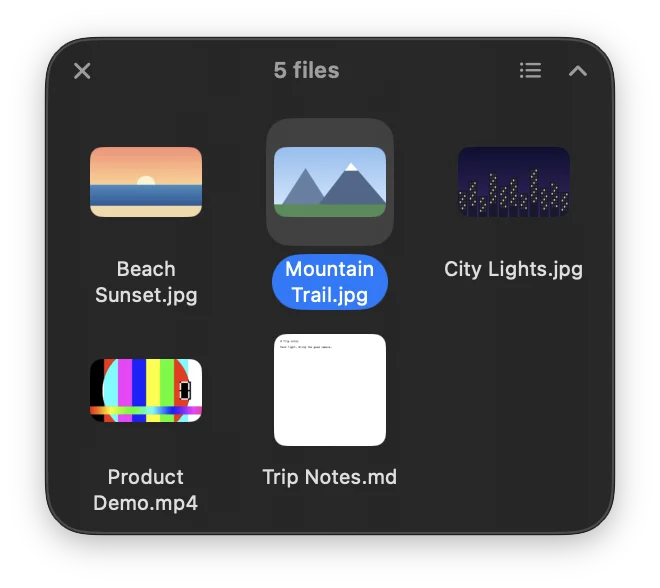
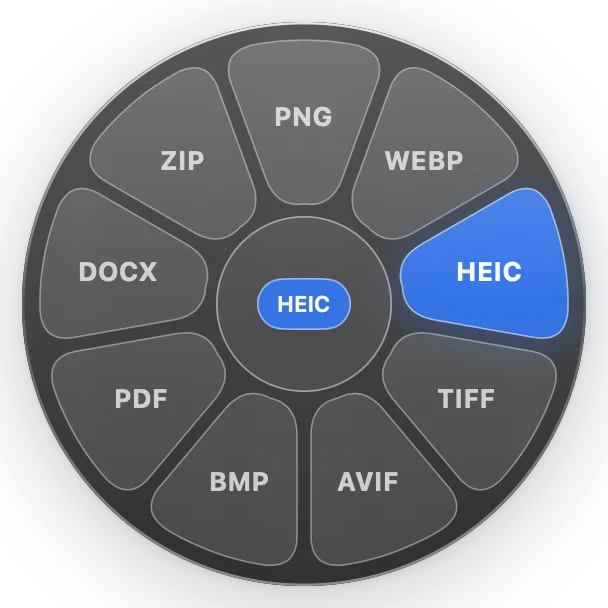
Dropover, Yoink, and OpenShelf
Same facts as the table. For a converter comparison, see Tangerine.
Is OpenShelf a free Dropover alternative?
Yes. OpenShelf is free and MIT-licensed, and it can hold files on a shelf without moving them. Dropover's FAQ describes a fully functional 14-day trial and then a 3-second wait, removed by Dropover Pro, a one-time in-app purchase. The Pro price is not listed on dropoverapp.com, checked 1 November 2026.
How is the shelf different from Yoink?
Yoink's site describes a shelf at the edge of the screen that holds files and other dragged content, including text and images, and says it can keep a clipboard history. OpenShelf's shelf holds files without moving them and can dock to the left or right edge. OpenShelf also converts and edits from the same drag. Yoink's Mac page does not list file-format conversion. Yoink is a one-time purchase at 9,99 € / $8.99 / £8.99, checked 1 November 2026.
Will files be uploaded?
Not by OpenShelf. Conversions run on your Mac, and there is no telemetry. Dropover's FAQ says putting a file on a shelf does not upload it; an upload happens only if you choose an upload or sharing action. Yoink's Mac page does not say whether files are uploaded.
Which macOS versions are required?
OpenShelf needs macOS 14 Sonoma or later, on Apple silicon or on Intel up to macOS 26. Yoink's site says macOS 10.13 High Sierra or newer. Dropover does not list a single minimum version on the pages checked.
Where do I download OpenShelf?
Download the DMG or see the source on GitHub. The home page shows the wheels, and the Tangerine page is the converter comparison.